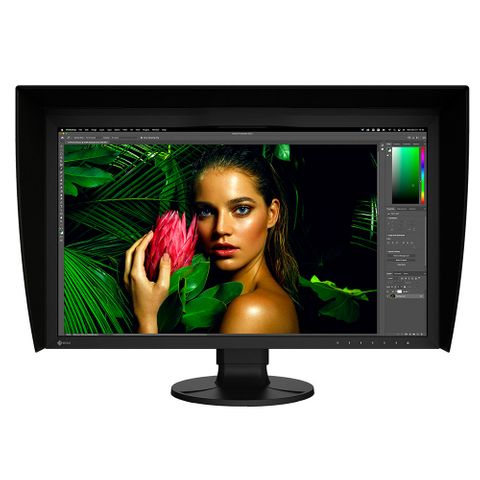
Eizo Coloredge CG3100X 4K HDR Monitor
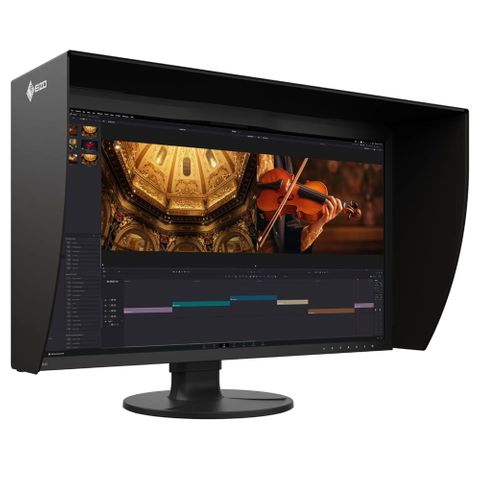
Product Features:


Description
This monitor is on pre-order and is due soon.
Enhanced Display Quality
The CG3100X offers exceptional visual performance with high brightness, high contrast, and HDR support. Featuring a brightness level of 500 cd/m² and a contrast ratio of 1800:1*, the monitor meets DCI standards to ensure content is displayed clearly with added depth and detail.
For HDR content, the monitor supports the gamma (EOTF) compatible hybrid log-gamma (HLG) transfer function for broadcasting and perceptual quantization (PQ) curve for production of films and streamed content. Additionally, users can set any camera log using ColorNavigator 7 to view the camera log video on the monitor during filming.
*Typical value when DUE Priority is set to “Brightness”.
EOTF stands for Electro-Optical Transfer Function.
HLG and PQ were standardized by the International Telecommunication Union (ITU) as ITU-R BT.2100. PQ was standardized by the Society of Motion Picture Television engineers (SMPTE) as ST-2084.

DCI 4K Resolution Across a 30.5-inch Screen
The CG3100X displays at DCI 4K resolution (4096 x 2160) which is more than four times that of Full HD (1920 x 1080). This makes it an optimal solution for creating, editing, and referencing 2D and 3D CGI, VFX, compositing, and colour grading.

2. Colour Precision
Industry Standard Colour Reproduction with Broadcast and Cinema Presets
The monitor’s wide colour gamut covers 99% of the DCI-P3 standard used in digital cinema and supports the BT.2020 standard used in broadcasting for exceptionally faithful reproduction of colour. It also covers 97% of the Adobe RGB colour space so images and video shot in Adobe RGB will be displayed correctly. Colour mode presets can easily be changed via the switches on the front of the monitor, enabling straightforward colour management for each project.

10-Bit Simultaneous Display
The monitor offers 10-bit simultaneous display* from a 24-bit look-up-table (LUT) which means it can show more than one billion colours simultaneously. This is 64 times more colors than you get with 8-bit display, resulting in smooth colour gradations and reduced Delta-E between two adjacent colours.
*A graphics board and software which support 10-bit output are also necessary for 10-bit display. Equipment that supports DeepColor is required for 10-bit display when connected via HDMI®.

3D LUT for Accurate Colour Display
The monitor is equipped with a 3D LUT (look-up table) which adjusts colours on an RGB cubic table. Using ColorNavigator 7’s film emulation function, users can emulate film colour properties using a 3D LUT file.
- Japan patent no. 4808588

Built-In Sensor to Automate Your Workflow
The monitor’s built-in sensor can be set to calibrate the monitor automatically at designated times. This eliminates the need for a third-party calibration device and ensures your screen stays colour-accurate. In addition, the sensor swings onto the screen, taking up minimal space and allowing you to continue working even during calibration.
- Japan patent no. 4809453
- EIZO does not recommend carrying out colour-critical work during recalibration, as the screen’s colours will be adjusted.

ColorNavigator 7 Colour Management Software
EIZO’s proprietary free ColorNavigator 7 software is the complete colour management solution for reliable calibration and quality control of ColorEdge monitors. It offers multiple preset colour modes, simultaneous calibration of all modes, and automatic recalibration to ensure consistent colour accuracy. It also allows calibration targets to be set for brightness, white point, gamma (EOTF), and colour gamut for more fine-tuned control.

ColorNavigator Network Quality Control Software
EIZO’s ColorNavigator Network provides centralized quality control of ColorEdge monitors for studios with multiple creators and editors working on shared projects. An administrator can set the colour modes, schedule automatic self-calibration for monitors with built-in sensors, register or adjust asset management settings, and more – all carried out remotely over the network. For large-scale projects, this ensures that the appropriate colour standards are used at every step and saves hundreds of hours spent on calibration and maintenance.
More about ColorNavigator Network

3. Comfortable Design, Advanced Connectivity
Sleek Design, Quite Operation
The CG3100X features a sleek design with punched metal on the back, enhancing airflow for effective heat management. Its internal fan operates at just 20 dB, ensuring a quiet workstation environment.
DCI 4K/60p Support
The monitor’s DisplayPort™ and HDMI® inputs support up to DCI 4K at 60p 4:4:4 10-bit and 12-bit, respectively. This ensures smooth and fluid motion with precise colour representation for video editing and post production work.

FRL Support for High-Speed Transmission
The CG3100X supports Fixed Rate Link (FRL), the latest signal technology supported in the latest HDMI specification. FRL is required to receive 12-bit signals, handle higher uncompressed high-resolution data, such as 4K, and take advantage of high-speed bandwidths for compressed video transport over an HDMI connection. The monitor comes bundled with an Ultra High Speed HDMI Cable for reliable 4K performance.
Single Cable Connection with USB Type-C
The monitor is equipped with a USB Type-C port for streamlined connection with laptops or creative workstations. With a single cable, users can display video, access the monitor’s multi-port USB hub, and charge their device with up to 94W of power delivery. This helps maintain a tidier workspace by keeping the area free of excess cable clutter. It also offers stable network access for sharing creative assets and files via the monitor’s built-in LAN port.

Headphone Jack for Direct Audio Output
The CG3100X features a headphone jack for conveniently checking audio content.
Light-Shielding Hood
The monitor comes bundled with a light shielding hood that effectively prevents glare on the screen caused by ambient lighting. The hood is designed to be lightweight and easily attaches to the monitor magnetically without needing to connect separate parts.

4. Functions for Editing and Post Production
Pixel Inspection
Working within the wrong parameters affects editing decisions, potentially requiring significant rework of projects and causing costly delays in production schedules. Pixel Inspection, operated through the monitor’s OSD, shows the colour information of a pixel from the source input data and the data as it is displayed on the monitor.
System managers can use this information to verify that the creator’s technical settings match the current project’s predefined colour parameters. This is especially helpful when creators are working remotely and system managers cannot verify settings directly. By ensuring that creators are working under the appropriate technical conditions, studios can reduce the likelihood of project rework due to mismatched technical settings.

Check PQ Contents at Any Brightness Level
The monitor offers an optional PQ gamma curve (EOTF) function that allows the input signal to be clipped or compressed to fit within the luminance value of the monitor. This allows users to simulate how the signal will appear in other display environments. The Auto setting under PQ Option menu automatically adjusts the PQ curve according to the monitor’s current brightness.
Sync Signal
The monitor’s Sync Signal function automatically switches the colour settings – brightness, gamma (EOTF), and colour gamut – according to the metadata of the input signal. This eliminates the need to manually switch colour settings when working on multiple projects, so users can be confident that they are always working with the correct settings.

Nearest Neighbor Interpolation
The ColorEdge CG3100X offers Nearest Neighbor interpolation setting as an option for image scaling and resampling. When upscaling, Nearest Neighbor copies and aligns pixels to the closest adjacent position, maintaining colour fidelity. When Nearest Neighbor is turned off, the monitor uses an interpolation method that balances gradation of the surrounding pixels for smooth colour tone. Editors can easily choose the interpolation method best suited to the project via the monitor’s OSD menu to ensure content looks as intended when upscaling to 4K.
Luminance Warning
The PQ Option function allows you to check PQ content at any brightness level and shows the areas of the image that are clipped when displayed at a specified brightness level. These areas are marked in yellow or magenta to easily distinguish them within the image.

4K Zoom
The 4K zoom function allows users to enlarge areas of the screen to check fine details and accuracy of the focus in the scene. This function is quickly and easily accessible using the monitor’s front switches.

BT.709 Out-of-Gamut Warning
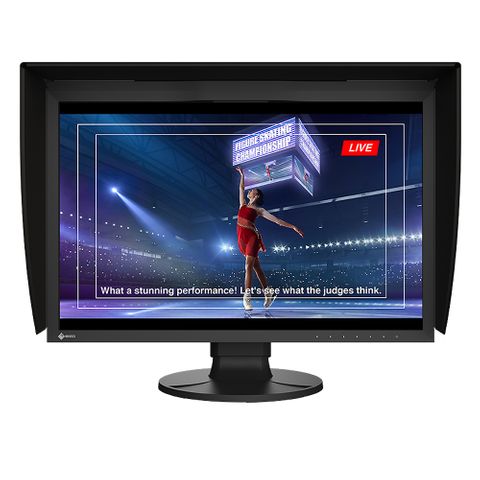
The CG3100X features a marker function to ensure that content, such as text or graphics, is properly positioned on the screen. The Safe Area Marker marks an area of the screen within which captions or other information will appear to ensure they are visible during broadcast. The position and size of the markers can be specified to suit the current project.

Markers for Information Overlay
The CG3100X features a marker function to ensure that content, such as text or graphics, is properly positioned on the screen. The Safe Area Marker marks an area of the screen within which captions or other information will appear to ensure they are visible during broadcast. The position and size of the markers can be specified to suit the current project.

5. Stable Image Display
Adjusted at the Factory for Smooth Colour Gradations
The gamma level for each ColorEdge monitor is adjusted at the factory by measuring the R, G, and B gamma values from 0 – 1023. The monitor’s 16-bit look-up-table (LUT) is then used to select the 1024 most appropriate tones and achieve the desired value. This ensures the smoothest colour gradations in your images.

Uniformity Across the Screen
LCD monitors commonly exhibit fluctuations in brightness and chromaticity across the screen, affecting colour accuracy. To counter this, ColorEdge monitors are equipped with EIZO’s patented digital uniformity equalizer (DUE) technology which corrects deviations in every tone across the screen to ensure stable display.
- Japan patent no. 5651419

Stable Display Using Industry-First AI
The colour and brightness of an LCD monitor can shift due to changes in ambient temperature. ColorEdge CG Series monitors are equipped with a temperature sensor that measures the temperature inside the monitor and estimates the ambient room temperature. Using this technology, the monitor adjusts in real time to maintain accurate gradation, colour, brightness, and other characteristics.
In addition, the monitor uses AI (Artificial Intelligence) in its estimation algorithm to detect and distinguish patterns in temperature changes for more precise calculations to ensure stable and accurate display.
- Japan patent no. 6723964

Stable Colour in Just 3 Minutes
A typical monitor takes 30 minutes or more for its brightness, chromaticity, and tone characteristics to stabilize. ColorEdge monitors take a mere 3 minutes* so you get reliable colour display soon after turning the monitor on.
*Based on EIZO’s internal testing.
Verified Accuracy with Factory Report
Included in the box of every CG3100X is a Factory Report which shows the measurement results at the time of production. The report includes uniformity, gamma, gamut coverage, and colour temperature measurements which verify every unit’s accuracy.
You may also like...
You may also like...
-
Brand
Stock Level:In StockStock Code:10.CG2700SWas:$3,745.50Now:$3,379.00Price:$3,379.00 -
Brand
Available SoonStock Code:10.CG2700XWas:$5,093.00Now:$4,589.00Price:$4,589.00 -
Brand
Available SoonStock Code:10.CG2400SWas:$2,915.00Now:$2,629.00Price:$2,629.00 -
Brand
Available SoonStock Code:10.CG2400SVWas:$3,382.50Now:$3,049.00Price:$3,049.00